











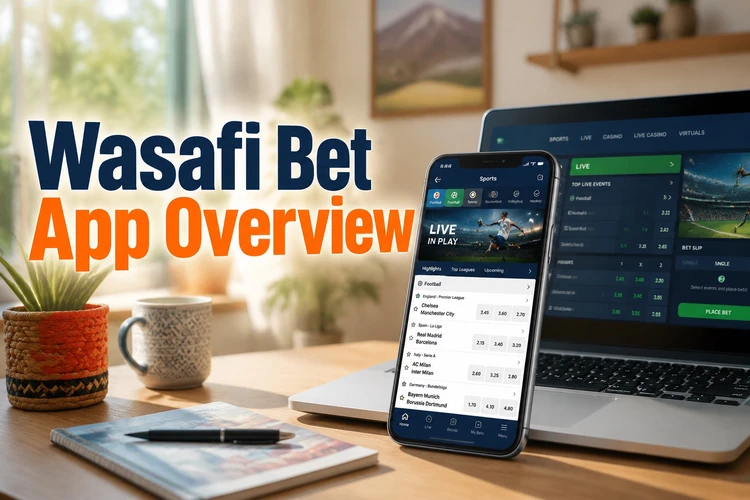
The mobile application from Wasafi Bet brings sports betting and casino games to your phone. Players in Tanzania can access live markets, place bets during matches, manage their account balance, and view available offers without opening a desktop browser. Android devices can use an APK, while iPhone users can access the platform through a web-based solution.

Many users choose the mobile version because it is easier to use during live events and keeps the main account tools close at hand. The touchscreen layout uses clear controls, while notifications can be adjusted so that only useful updates appear. A stable mobile-data or Wi-Fi connection is still needed for betting and casino play.
Wasafi Bet App Overview
The application covers football, basketball, tennis, and other sports popular in Tanzania. Live betting markets update as a match progresses, showing current scores and changing odds. Availability can vary by event, account status, location, and connection quality, so check the market details before confirming a wager.
The casino area may include slots, table games, and live dealer titles, depending on what is available when you sign in. Games normally load inside the mobile interface, but they can use considerable data, especially when a live video table is running. Deposit and withdrawal tools are found within the account area, with mobile money and card methods shown according to current availability.
Account settings allow you to review betting history, change notification preferences, and set deposit limits. If the remember-me option is enabled, avoid using it on a shared phone. A screen lock and a private device are safer choices for an account that contains payment information.
How to Download Wasafi Bet App
Wasafi Bet distributes the Android application as an APK file through its website. Google Play availability for betting applications differs by country, so an APK may be the available installation route in Tanzania. Open wasafibettz.com and use the download control displayed on the site rather than an advertisement or an APK mirror.
The site may detect your device and show the relevant option. Android users can download the APK, while iPhone users are normally directed to the browser-based version. Before downloading, check that the page is the genuine site, that your connection is secure, and that your phone has enough free storage.
Keep the downloaded file only if you intend to install it. An APK from an unofficial source could be modified, outdated, or bundled with harmful software. Do not enter your password into a separate page that appears during installation, and never share a verification code with another person.
Android Installation Guide
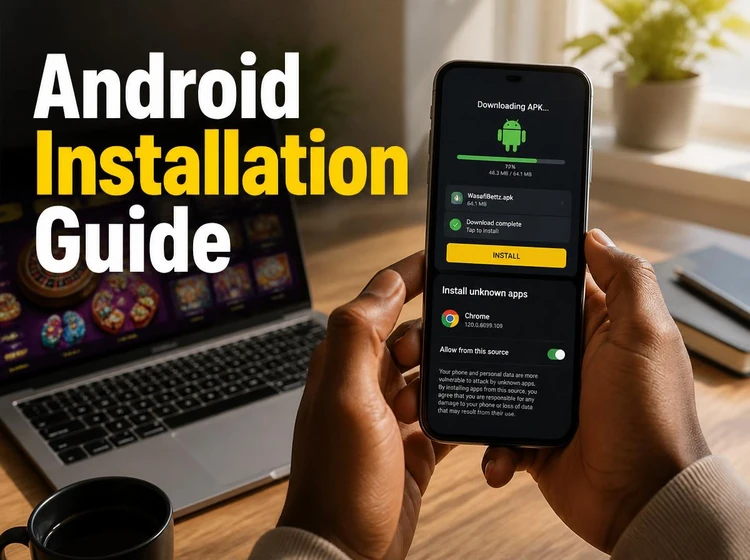
After downloading the APK file, open your phone's file manager and locate the download folder. Tap the file to begin installation. Android may warn that the browser or file manager is not currently allowed to install applications from outside Google Play.
Open Settings, then Security or Privacy, depending on your Android version. Find Install Unknown Apps or Unknown Sources and enable it only for the browser or file manager you used. Return to the APK, review the requested permissions, and continue only when they make sense for the service. You can disable this permission again after installation.
Tap Install and wait for the process to finish. When the icon appears, open the app and log in to your account with your existing details. New users should complete registration carefully and check that their phone number is correct. If the installation fails, remove the file, restart the phone, confirm available storage, and download a fresh copy from the official site.
Installation on iPhone
Wasafi Bet does not offer a standalone app in the Apple App Store according to the current setup described on the site. Instead, iPhone users can use the platform through Safari and save it to the home screen as a progressive web app. This avoids installing an unverified iOS file.
Open Safari and go to the Wasafi Bet homepage. Tap the Share icon, scroll through the options, and choose Add to Home Screen. Give the shortcut a recognisable name and tap Add. Its position can then be changed like any other home-screen icon.
Opening the shortcut launches the service in an app-like view. Features depend on the browser, device, and current site configuration. Notifications require permission, and betting still needs an active connection. If pages look outdated, close the shortcut and open the site again in Safari so the latest version can load.
Main Features
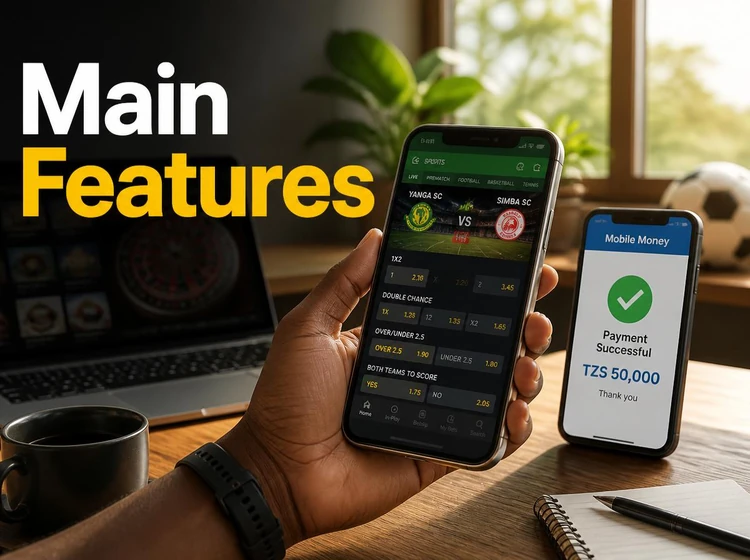
Live betting markets refresh during a match, but odds can change between selecting a market and confirming a bet. Read the slip before submitting it and check whether the stake, potential return, and event are correct. A delayed connection can also show information that is no longer current.
Casino games may include slots, table games, and live dealer options. A reliable connection is particularly important for streamed tables. Game rules, minimum stakes, and availability should be checked inside each title rather than assumed from another device.
Deposits and withdrawals show the payment methods available to your account. For mobile money, enter the requested number and approve the transaction through the relevant provider. Keep the confirmation message until the balance changes. Withdrawals can take longer than deposits because identity, payment, or account checks may apply.
Offers, when available, are displayed with their conditions. Read the qualifying deposit, wagering requirement, eligible games, maximum stake, and expiry date before opting in. Notifications can cover bet results, account messages, and offer reminders; unwanted categories can usually be disabled in settings.
Safety
Use the official Wasafi Bet website when downloading an APK. Third-party pages may distribute altered files that capture passwords or payment details. Check the address carefully, avoid downloads from pop-ups, and delete suspicious files rather than overriding a phone warning.
Use a unique password, keep the phone updated, and avoid logging in over unsecured public Wi-Fi. Never give your password, one-time code, or payment PIN to support staff or another user. If the app behaves unexpectedly, sign out, remove it, and contact support through a trusted channel.
Responsible gambling tools can help you control spending. Set daily, weekly, or monthly deposit limits and take a break if betting stops feeling manageable. Read the responsible gambling guidance for practical support information. Betting is for adults aged 18+, and local requirements should be followed.
Updates can fix faults and improve security. Check the official site periodically for a newer APK, and review the version information before replacing an existing installation. Back up important account information and confirm that your balance and history are visible after an update.
Frequently Asked Questions
Yes, downloading the mobile software or saving the browser shortcut does not carry a subscription fee. You still need an account and available funds to place bets or play casino games, and normal data charges from your network provider may apply.
Yes, the same account can be used on supported devices and browsers. Your balance and betting history should sync after you sign in, although a brief delay may occur after a payment or account change.
Check the Wasafi Bet website for the latest APK and install it over the existing version. Download only from the official source, keep enough storage free, and review the file before opening it. Your account data should remain linked to your login.
The browser-based iPhone version can provide live betting when the feature is available to your account and browser. Use a reliable connection, refresh the page if markets stop updating, and check the bet slip before confirming a wager.
Confirm that installation permission is enabled for the browser or file manager, check free storage, and make sure the phone supports the file. If it still fails, delete the APK and download it again from the official website rather than using a third-party copy.
No. Casino games and new bets require an active internet connection because they communicate with live servers. An already loaded account page may remain visible briefly, but do not rely on offline information when making a payment or placing a wager.
Open the account or menu area and look for the available help option. If in-app support is unavailable, use the details on the <a href='/contact'>contact page</a> and include your username, device type, and a clear description of the problem without sharing your password.
Check the current licensing and operating information on the site and follow Tanzanian requirements. The service is intended for adults aged <strong>18+</strong>. Do not use the platform if you are under the legal age or if local rules prohibit your activity.